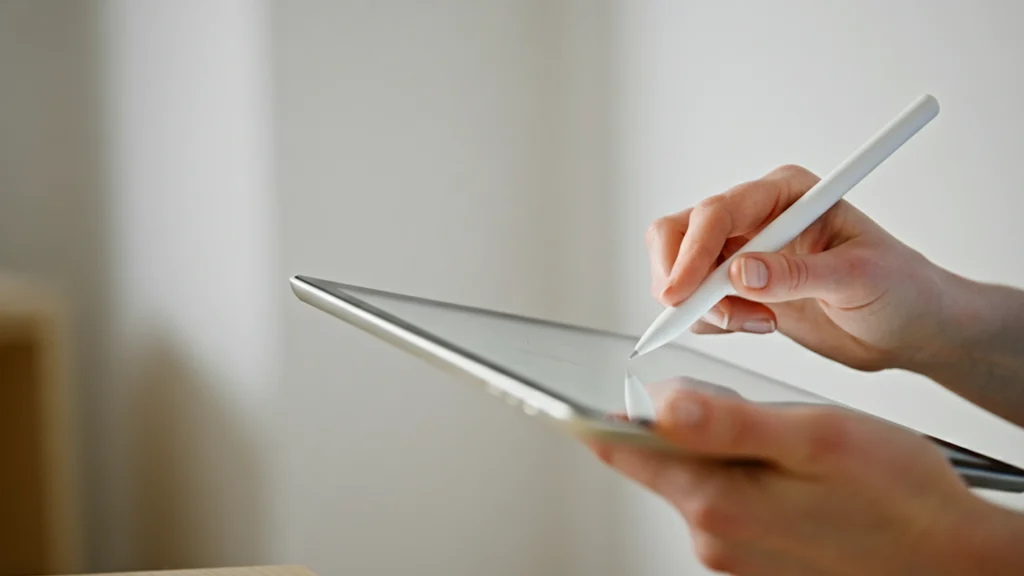
Tablet-based checkout counters are transforming retail by replacing bulky traditional registers with flexible, mobile, and cloud-connected systems that streamline payments and improve store layouts. This shift reduces hardware costs, speeds staff training, and enhances the overall customer experience by minimizing friction and making checkout a seamless part of the shopping journey.
AI-generated
Key Moments
1
Flexibility and Mobility of Tablet Checkout
Tablet-based checkout counters enable staff mobility, reducing bottlenecks and allowing personalized customer service by freeing checkout from fixed stations.
2
Integration of Cloud-Based POS Systems
Cloud-based POS software provides retailers with real-time access to sales data, inventory, and reports across multiple locations, supporting centralized management and scalability.
3
Reduction of Checkout Friction
Minimizing delays and friction at checkout improves customer experience by turning payment into a smooth, unobtrusive part of the shopping journey, influencing store layout and technology adoption.
4
Cost and Training Advantages of Tablet Systems
Tablets lower hardware costs and provide intuitive, touch-based interfaces that speed up staff training, particularly benefiting businesses with high employee turnover.
AI-generated
Checkout counters are quietly changing as compact screens reshape how people pay, subtly altering movement patterns and expectations across everyday store visits.
Not long ago, checkout areas were defined by heavy hardware that fixed where transactions could happen. Today, slimmer setups appear in stores of every size, allowing counters to shift with traffic and seasonal layouts. This flexibility helps retailers rethink how much space the final step of shopping should occupy.
When payment feels seamless, the final moments of a visit become part of the experience rather than an interruption.
AI-generated
Across busy shops, lighter systems now handle payments and records with fewer components and less visual clutter. Store teams gain clearer daily visibility into sales patterns and queue flow, making it easier to adjust staffing, reduce bottlenecks, and respond to short-term changes without reworking physical layouts.
Meanwhile, shoppers increasingly expect checkout to feel quick, simple, and unobtrusive, especially as contactless habits become part of daily life. Faster interactions reduce the sense of waiting, ease congestion near exits, and help preserve the rhythm of browsing, even when stores are crowded. When payment feels seamless, the final moments of a visit become part of the experience rather than an interruption.
Taken together, these shifts suggest checkout is becoming a flexible service moment rather than a fixed destination, quietly reshaping how people experience the end of each store visit.
Why Retailers Are Moving to Tablet Checkout
Many retailers are turning to special platforms to simplify payments and manage sales from a single device, replacing traditional registers with tablet-based setups that are easier to install, configure, and scale as the business grows.
Ecommerce-focused brands are also blending in-store and online sales using systems, which connects physical checkout with online inventory and customer profiles. This unified approach helps retailers deliver a consistent experience across online stores, pop-ups, and permanent locations.
How Tablets Are Changing the Checkout Experience
Tablets make checkout counters more flexible, allowing staff to move around the store and assist customers without being tied to one fixed station. This mobility can reduce bottlenecks and support more personalized service during busy hours.
Many retailers now pair tablets with dedicated POS software and accessories, such as card readers and receipt printers, to create a full checkout setup using lightweight hardware. These systems are often built around devices like the iPad because of their stability, ecosystem support, and wide compatibility with retail software.
Key Benefits for Modern Retailers
Lower Hardware Costs: Tablets are generally cheaper than traditional POS terminals, reducing upfront investment and making upgrades more affordable for growing businesses and multi-location operators.
Faster Staff Training: Touch-based interfaces are easier to learn, helping new employees get up to speed more quickly and reducing training time, especially in high-turnover retail environments.
Image by Jamie Blaire
The Role of Cloud-Based POS Software
Cloud-based POS platforms allow retailers to access sales data, reports, and inventory from anywhere, with providers like Lightspeed offering real-time tools for managing multi-location stores, centralized pricing, and cross-store reporting.
What This Means for the Future of In-Store Tech
As more retailers adopt tablet-based checkout, store layouts are likely to become more open and flexible, reducing the footprint of traditional counters and allowing more space for product displays, experiential zones, and improved customer flow.
Payment technology providers continue to expand features such as mobile checkout, digital receipts, and customer profiles, with platforms like Toast adding advanced tools for hospitality and quick-service retail environments that demand speed and reliability.
Over time, tablet checkout systems are expected to become a standard part of modern retail, replacing bulky hardware with simpler, software-driven solutions that support faster service, better data visibility, and more adaptable store operations.
Retail changes fastest at the moments where customers notice friction the most.
Daniel Moore,
Retail Analyst
For retailers, these moments of friction offer clear signals about where technology needs to evolve. When customers hesitate at checkout or abandon purchases due to delays, it highlights weaknesses in flow, visibility, or process that software and layout changes are meant to address.
Over time, reducing friction at checkout does more than speed up transactions. It reshapes how customers experience the final moments of a visit, turning payment into a quieter background action rather than a dominant interruption in the shopping journey.
How Checkout Friction Shapes Store Design
Checkout is often the moment when smooth shopping experiences either hold together or quietly fall apart.
When lines slow down, devices lag, or staff need to switch between tools, small delays quickly become visible to customers. These moments influence how people remember a store visit and whether they feel the experience was efficient or frustrating.
As checkout tools evolve, retailers increasingly design store layouts around faster flows rather than fixed counters, letting technology adapt to the space instead of forcing the space to adapt to the technology.
Friction as a Signal for Technology Change
For retailers, these moments of friction offer clear signals about where technology needs to evolve. When customers hesitate at checkout or abandon purchases due to delays, it highlights weaknesses in flow, visibility, or process that software and layout changes are meant to address.
Over time, reducing friction at checkout does more than speed up transactions. It reshapes how customers experience the final moments of a visit, turning payment into a quieter background action rather than a dominant interruption in the shopping journey.
Additional Considerations
Security and Compliance: Tablet-based checkout systems must meet payment security standards and data protection requirements, making it important for retailers to choose platforms that support encryption, compliance, and secure transaction handling.
Hardware Reliability and Support: While tablets offer flexibility, retailers need reliable accessories, charging setups, and technical support to avoid downtime during busy store hours and peak sales periods.
As tablet-based checkout continues to expand, retailers will need to balance flexibility with reliability, ensuring that their systems are secure, well-supported, and scalable for future growth. By planning for both technology and operations, businesses can make the most of tablet POS systems while delivering faster, more consistent in-store experiences.